Help topics
Paying for My Skyro Loans
SkyroCredit
- What is SkyroCredit?
- How to use SkyroCredit
- Refer and Earn
- Cash out
- QR Ph payments with SkyroCredit
- Credit limit
- Payments
- Billing cycles and statements
- Interest rates and fees
- Cashback in SkyroCredit
- Using SkyroPondo for SkyroCredit
- SkyroCredit application status
- Payment issues with SkyroCredit
- Got questions about SkyroCredit, boss?
Product Loan
- What is a Skyro Product Loan?
- What items can I buy with a Skyro Product Loan?
- How do I apply for a Skyro Product Loan?
- Where can I use my Skyro Product Loan?
- Product Loan payments and fees
- Product Loan application status
- What is Skyro Flexi?
- What is the Skyro Zero Plan?
- Add-ons and Protection
- Got questions about Skyro Product Loan, boss?
Cashback in SkyroCredit
- What is cashback?
- Why should I use cashback with SkyroCredit?
- How do monthly cashback categories work?
- How are my cashback categories and rates chosen?
- What is the ‘All transactions’ category?
- How do I choose my cashback categories?
- How much cashback can I earn per category?
- When won’t I receive cashback?
- How can I track and use my cashback?
- How much cashback can I earn, and how is it calculated?
- Can I change my cashback categories after using them?
- Are there special or limited-time cashback offers?
- What if I didn't receive cashback for an eligible purchase?
What is cashback?
Cashback is a reward that gives you back a percentage of what you spend on a purchase. For example, if you spend ₱1,000 and earn 10% cashback, you get ₱100 back.
As the name suggests, you get some “cash back” when you spend. With SkyroCredit, it comes as a bonus added to your cashback balance, which you can use for future purchases.
You can earn up to 30% cashback on eligible transactions and choose the categories where you want to earn more each month.
And yes, even small purchases count! There’s no minimum purchase amount required to earn cashback with SkyroCredit.
Why should I use cashback with SkyroCredit?
Everyday spending is more rewarding with cashback, boss! It lets you earn rewards from purchases you already make with SkyroCredit.
Instead of giving everyone the same cashback categories, you get to choose what works best for you each month. Spending more on groceries now and dining out next month? Just pick the categories that match how you plan to spend.
And the best part? All SkyroCredit users can enjoy cashback!
Here’s what you can get:
- Up to 30% cashback on eligible categories
- 4 categories of your choice from 7 offered each month
- New categories and rates every month
- No minimum purchase amount to earn cashback
- Cashback you can use for future SkyroCredit purchases once you have at least ₱100 in your balance (₱1 cashback = ₱1 off)
How do monthly cashback categories work?
Every month, you’ll get 7 cashback categories to choose from in the Skyro Philippines app.
Pick 4 categories where you want to earn cashback for that month.
Your categories may cover different types of everyday spending, such as groceries, dining, online shopping, gas, bills, and more.
The categories and cashback rates available to you change every month, so you’ll get a new set to check and choose from.
How are my cashback categories and rates chosen?
On the 1st of every month, you’ll get 7 new cashback categories and rates to choose from. These may be different each month, so make sure to check your options in the app.
You can’t see your categories in advance, change the ones offered to you, or choose more than 4 categories each month. So make sure to pick the 4 categories that best match your spending, boss!
For example, you might get 10% cashback on groceries, 8% on gas, 3% on food and dining, or 4% on drugstores.
What is the ‘All transactions’ category?
Want to keep things flexible? All transactions give you 0.5% cashback on all purchases you make with SkyroCredit across different types of spending.
It’s always included in the 7 categories offered to you each month. If you choose it as one of your 4 categories, you can earn 0.5% cashback even when an eligible purchase doesn’t fall under one of your other selected categories.
For example, if your groceries category has a ₱300 cashback limit, you can still earn 0.5% cashback on eligible grocery purchases after reaching that limit, as long as you've selected All transactions.
💡 Tip: It’s a good idea to choose All transactions as one of your 4 categories, boss! This way, you can still earn 0.5% cashback on eligible purchases even after reaching your other category limits.
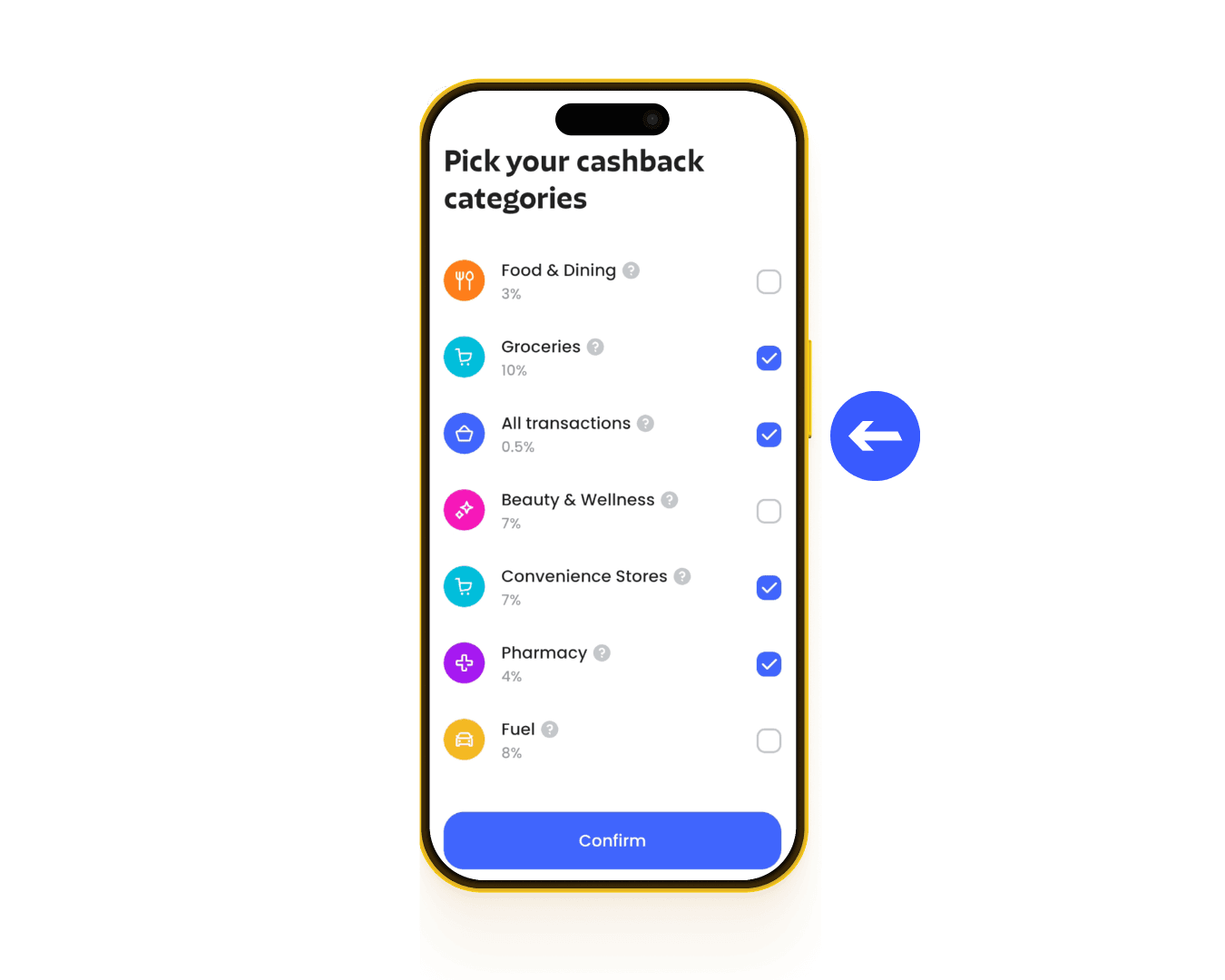
How do I choose my cashback categories?
To choose your cashback categories in the Skyro Philippines app:
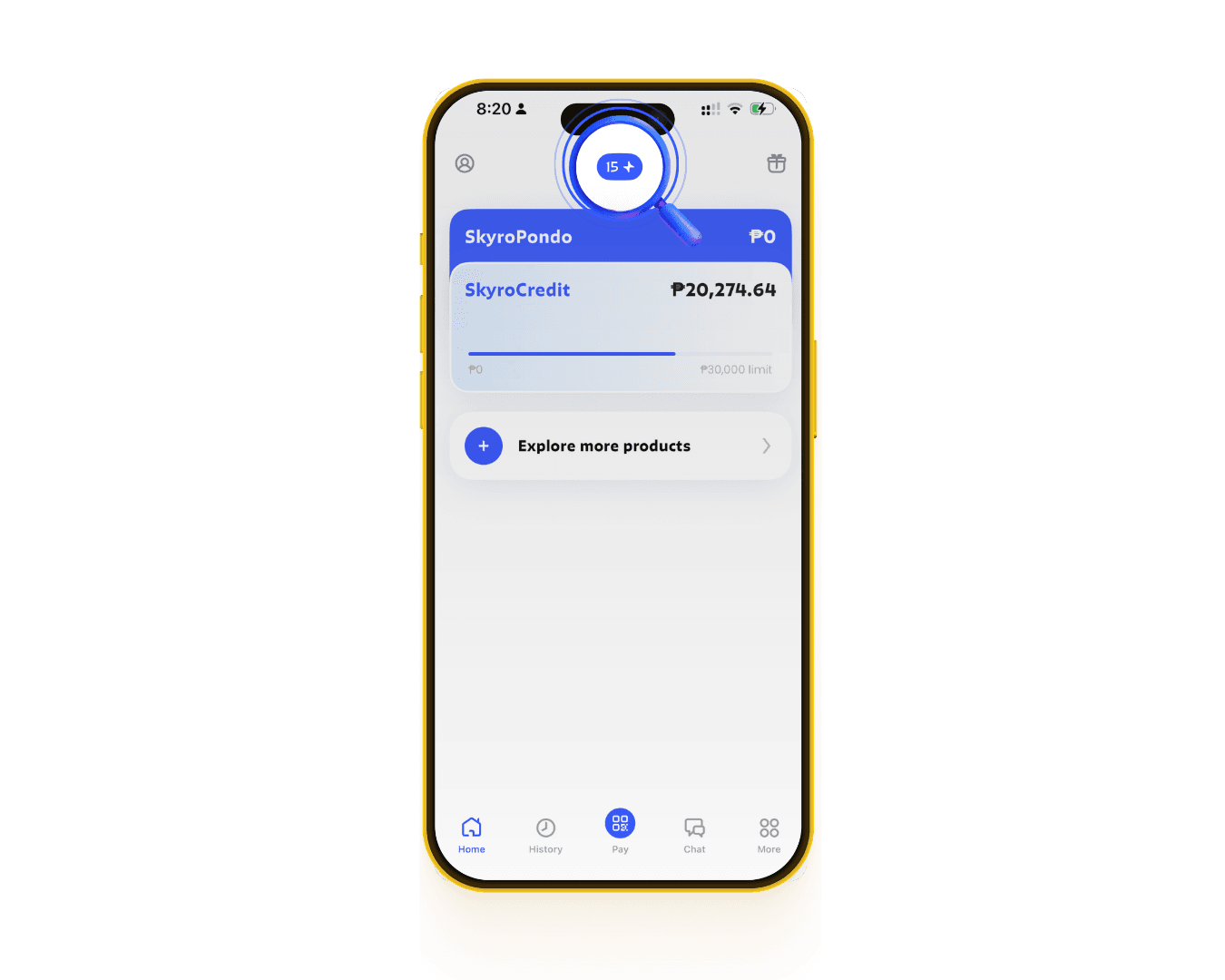
1. Tap the Cashback icon at the top of the home screen
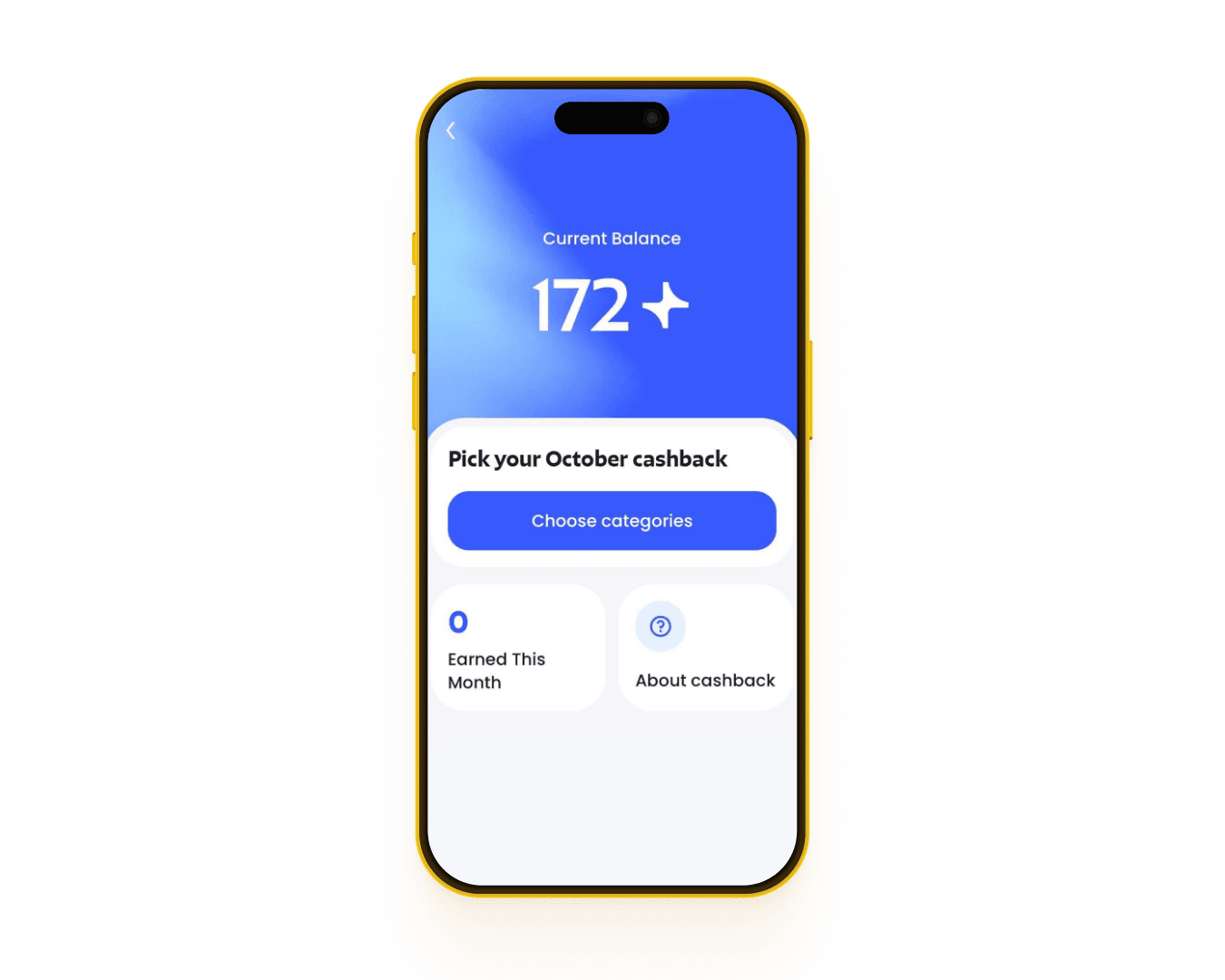
2. Tap Choose categories
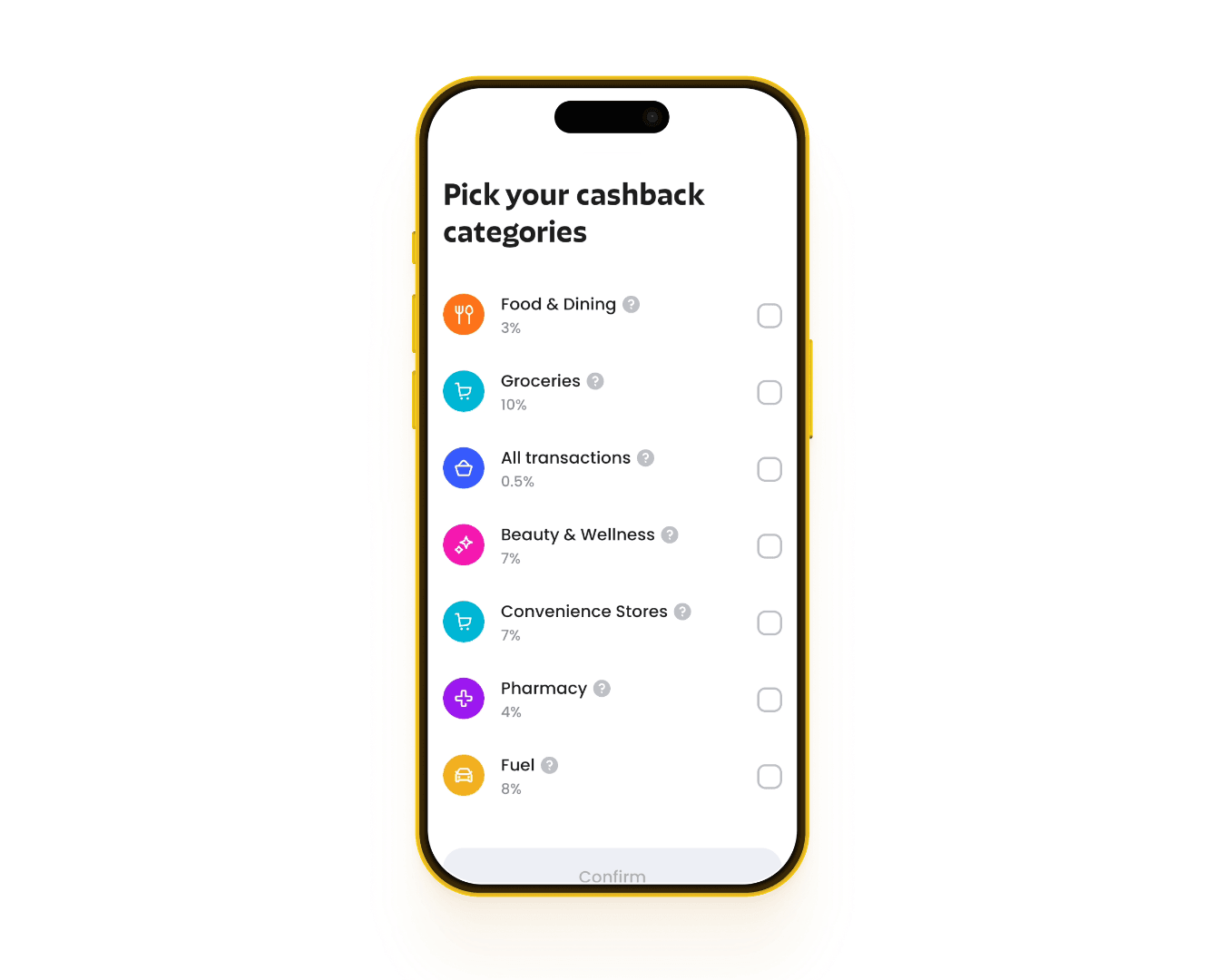
3. Pick 4 from the 7 categories offered to you
4. Review and confirm your choices
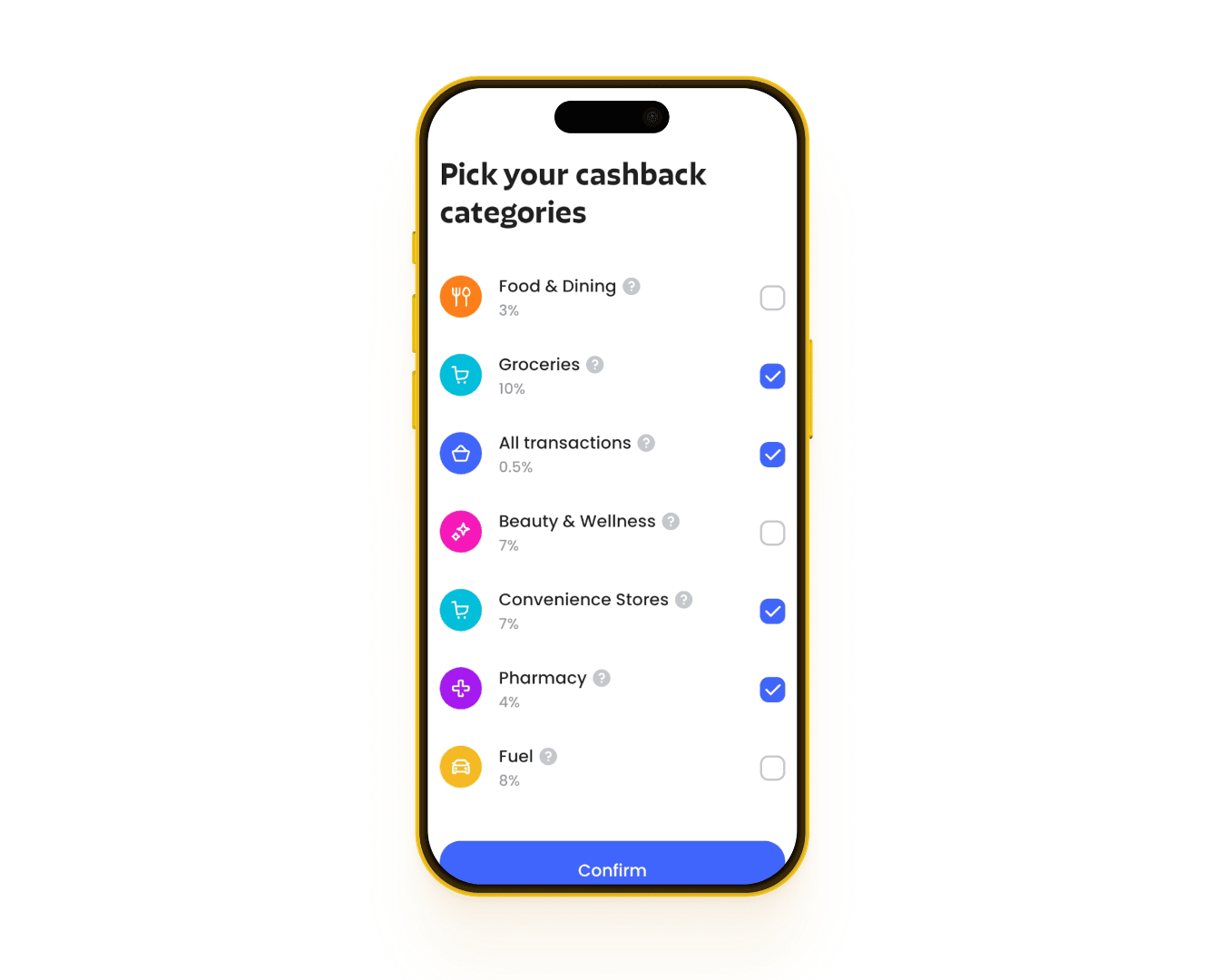
Remember: Once you confirm your 4 categories, you can’t change them until they reset next month.
To learn more about cashback, tap About cashback.
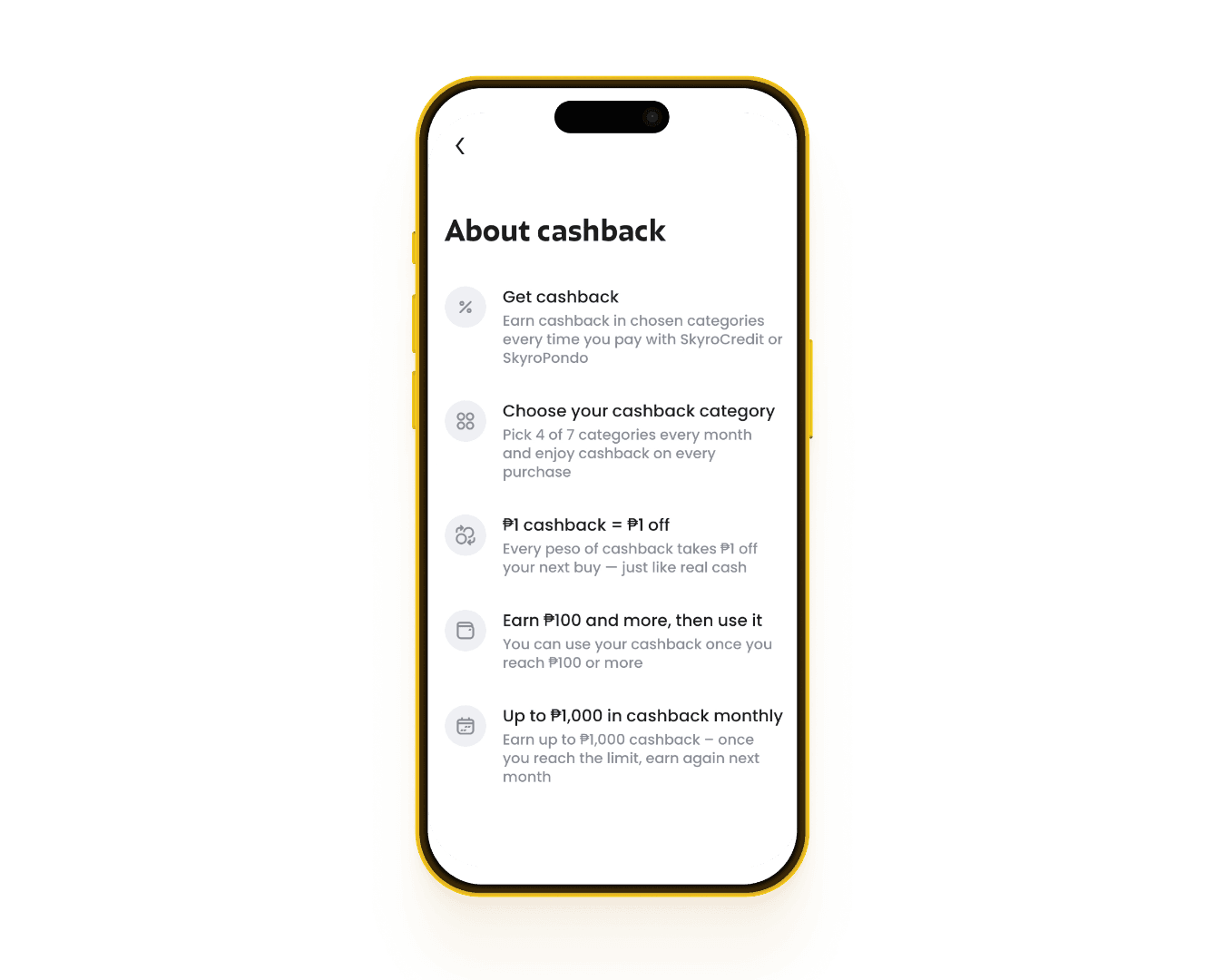
How much cashback can I earn per category?
It depends on the category. Each has its own cashback rate, from 0.5% to 30% on eligible purchases.
The categories you may see include:
- Groceries
- Fast food & restaurants
- Drugstores
- Online Shopping
- Gas
- Beauty & Wellness
- Delivery
- Convenience Stores
- Cafés & coffee
- Mobile Load
- Healthcare
- Travel
- Sari-sari
- Insurance
- Education
- Government
- All transactions — 0.5% cashback
Some categories also have their own cashback limits, so check the Skyro Philippines app to see the rates and limits available to you each month.
Didn't receive cashback for a purchase?
There are a few possible reasons:
- Cashback categories haven't been selected yet. You can choose them anytime, but cashback won't apply to purchases made before you confirm your selection.
- Your Skyro Philippines app isn’t updated. The new cashback categories and rates are only available in the latest app version. Make sure you're using it on the phone you're paying with. Otherwise, you'll still earn the previous 1% cashback rate on all SkyroCredit purchases, even if you've already selected your categories on another device.
- You've reached the ₱1,000 monthly cashback limit.
- The transaction is not eligible for cashback. For example, e-wallet cash-ins, bill payments (like electricity, water, internet), and money transfers don’t qualify.
- The purchase is still being processed.
- The purchase was cancelled.
- If none of these reasons apply to you, go to the History tab at the bottom of the home screen, find the transaction, and tap Report an issue to let us know.
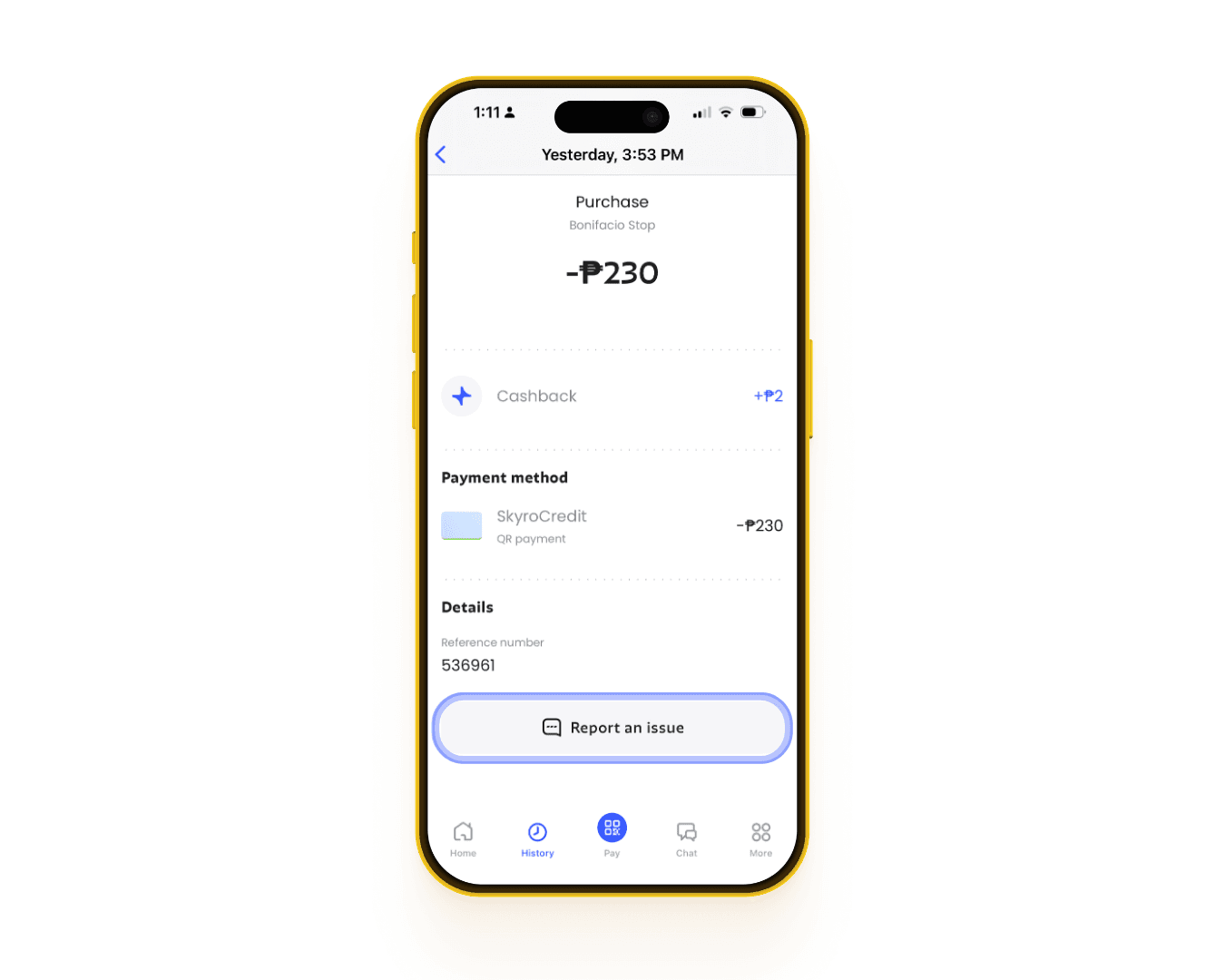
You can also contact our Customer Care team through the Skyro app chat for help.
When won’t I receive cashback?
There are some transactions and situations where you won't earn cashback with SkyroCredit.
1. Transactions that don't qualify for cashback
- Money transfers and cash withdrawals: Sending money to other people or e-wallets, cash-outs, and ATM/cash withdrawals.
- Loan payments and cash-ins: Making monthly loan payments, paying your SkyroCredit bill or outstanding balance, or cashing-in to SkyroCredit, bank accounts, and e-wallets.
- Purchases paid with cashback: If you use your existing cashback to cover part of a purchase, you'll only earn cashback on the remaining amount paid with SkyroCredit.
- Personal QR payments: Paying through personal QR codes instead of merchant QR Ph codes.
- Financial transactions: Buying foreign currency or cryptocurrency, or adding money to brokerage accounts.
- Gambling: Betting, lottery tickets, casino transactions, and online gambling.
- Government and court payments: Paying taxes, fines, government fees, bail, or court-related charges.
2. Cashback limits
- Monthly limit: You can earn up to ₱1,000 cashback per month. Once you reach this limit, you won't earn more cashback until the next month, even if your billing cycle in SkyroCredit resets.
- Category limits: Some special cashback categories may have their own limits. For example, you may earn up to ₱300 cashback per month on groceries or drugstores. Once you reach a category's limit, you won't earn more cashback from that category until the next month.
3. Refunds and cancellations
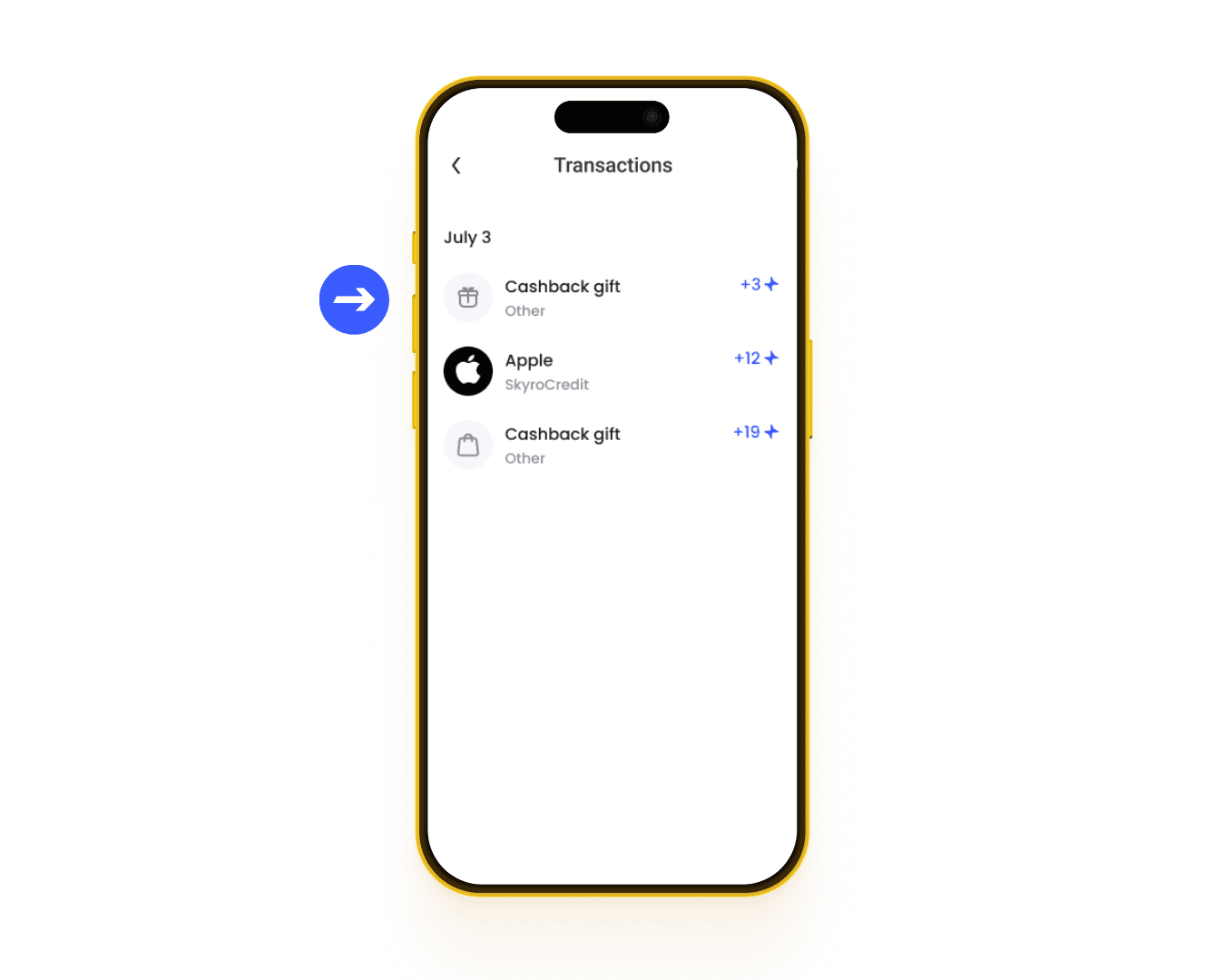
If your purchase is cancelled, returned, or refunded by the merchant, any cashback you earned from it will be reversed or deducted from your cashback balance.
You'll see this as a separate transaction in your History tab, labeled as Cashback gift, showing the cashback deducted or adjusted if only part of your purchase was refunded.
4. Overdue payments or restricted accounts
- Overdue payments: If you have an overdue SkyroCredit payment, you temporarily won't be able to earn or use cashback until your account is up to date.
- Account restrictions: Accounts restricted due to suspected fraud, unauthorized activity, or violations of Skyro's rules aren't eligible for cashback.
Want to earn more cashback?
Invite your friends to SkyroCredit and earn extra cashback rewards through our Refer and Earn program!
👉 To learn more about our referral program, check out our Refer and Earn guide
How can I track and use my cashback?
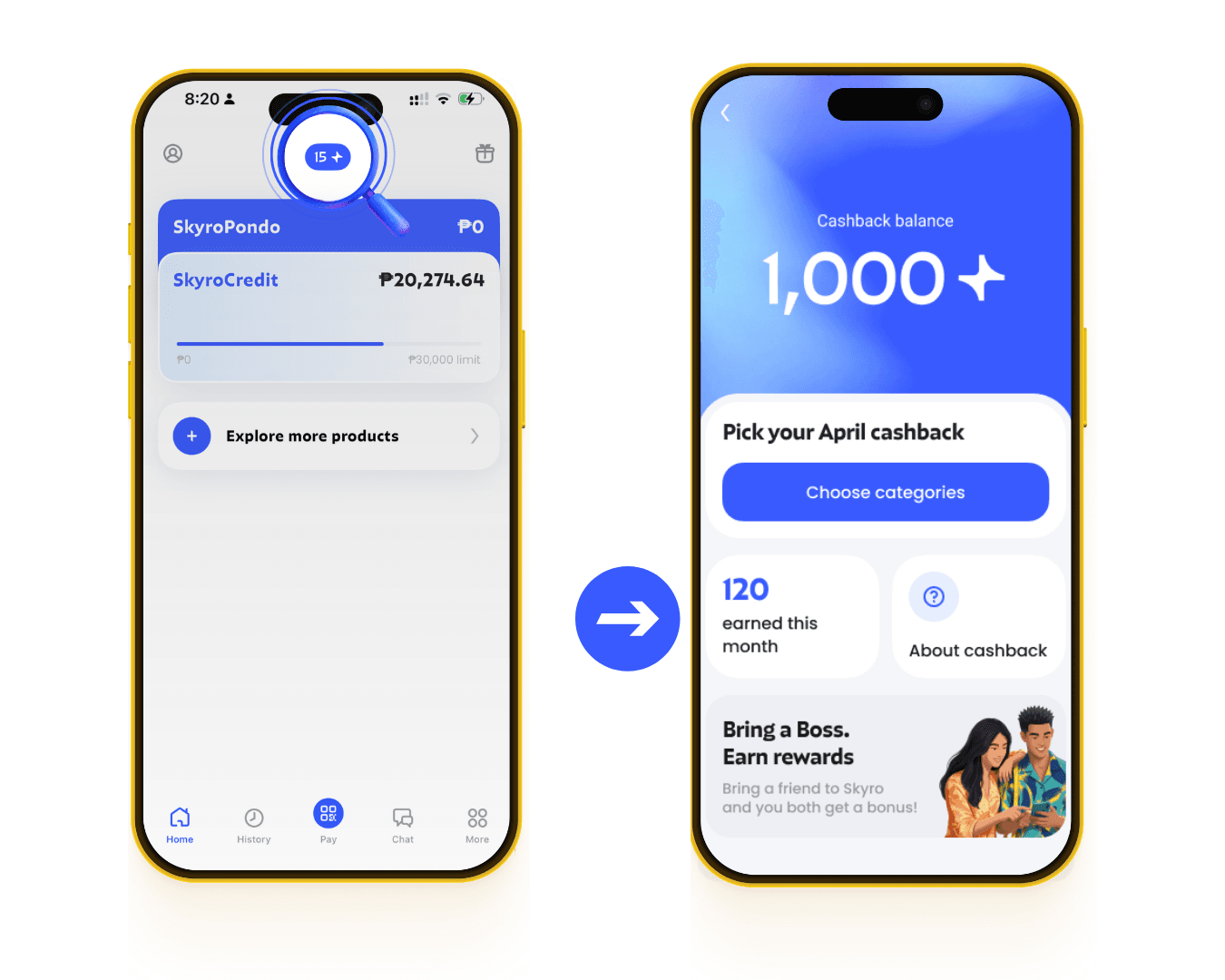
You can track your cashback anytime in the Skyro Philippines app.
Tap the Cashback icon on the home screen to see your available balance and how much cashback you’ve earned this month.
Once your cashback balance reaches ₱100, you can use it on your next SkyroCredit purchase. Remember, ₱1 cashback = ₱1 you can spend!
How much cashback can I earn, and how is it calculated?
You can earn up to ₱1,000 cashback per month. Once you reach the limit, you can start earning cashback again when it resets the following month.
Any cashback you haven’t spent will stay in your cashback balance, so you can still use it for future SkyroCredit purchases.
How do I calculate my cashback?
To calculate the cashback amount in advance:
- Multiply your purchase amount by the cashback rate
- Round down to the nearest whole peso.
For example, if you spend ₱2,355 on groceries with 10% cashback:
- ₱2,355 × 10% = ₱235.50
- Rounded down, you'll earn ₱235 cashback!
What about cashback limits?
Let's say your Groceries category offers 10% cashback, with a ₱300 monthly limit. After earning ₱235, you can still earn ₱65 more in cashback at the 10% rate from that category for the month.
Once you reach the ₱300 limit, you can still earn 0.5% cashback on eligible grocery purchases if you've selected All transactions as one of your 4 categories. But if you haven't selected it, you won't earn any cashback on those succeeding purchases after the limit has been reached.
Remember: The overall ₱1,000 monthly cashback limit still applies.
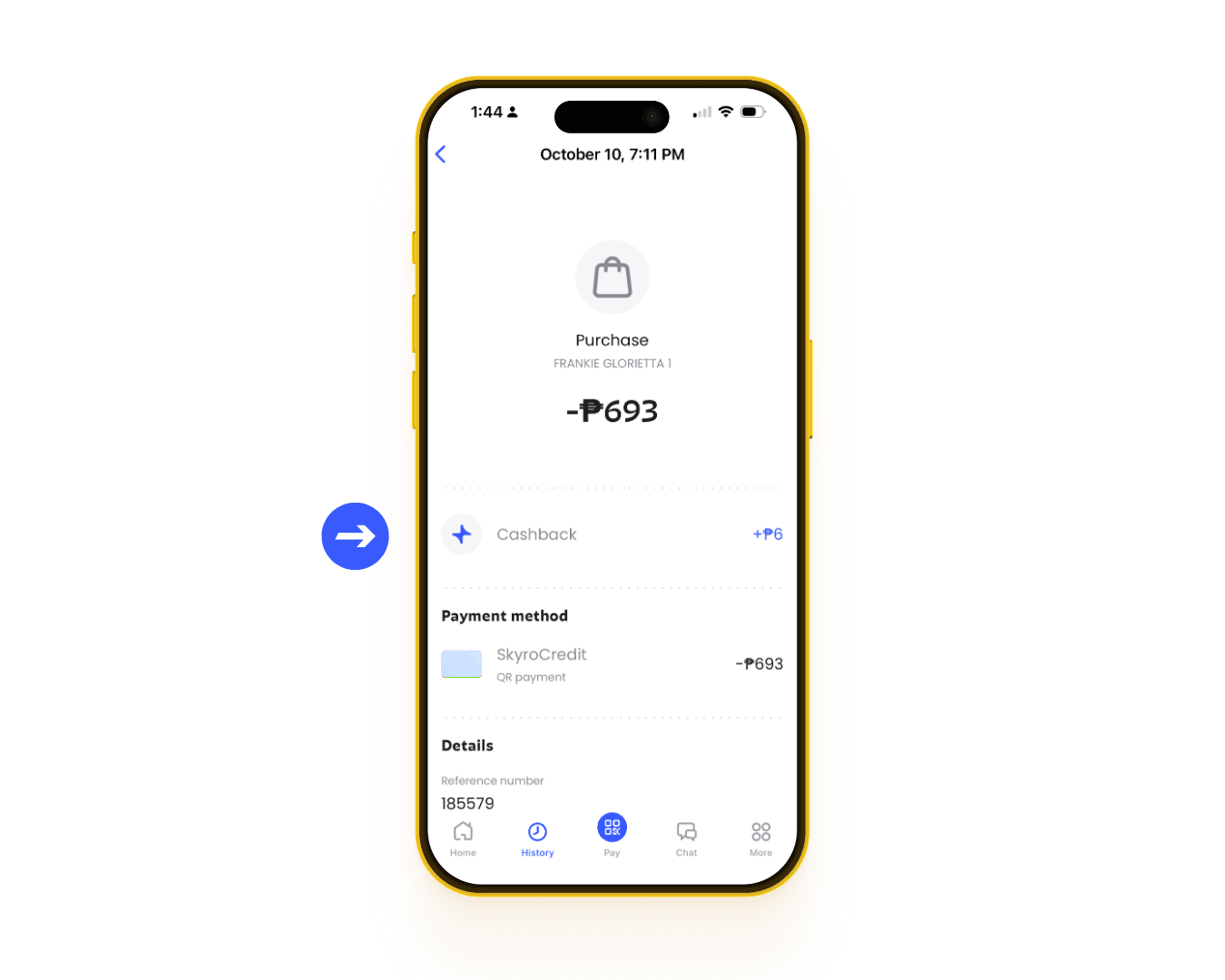
You can also check how much cashback you've earned from a purchase in the History tab of the Skyro Philippines app.
Can I change my cashback categories after using them?
No, boss. Once you confirm your 4 cashback categories, you can’t change them until they reset on the 1st of the following month.
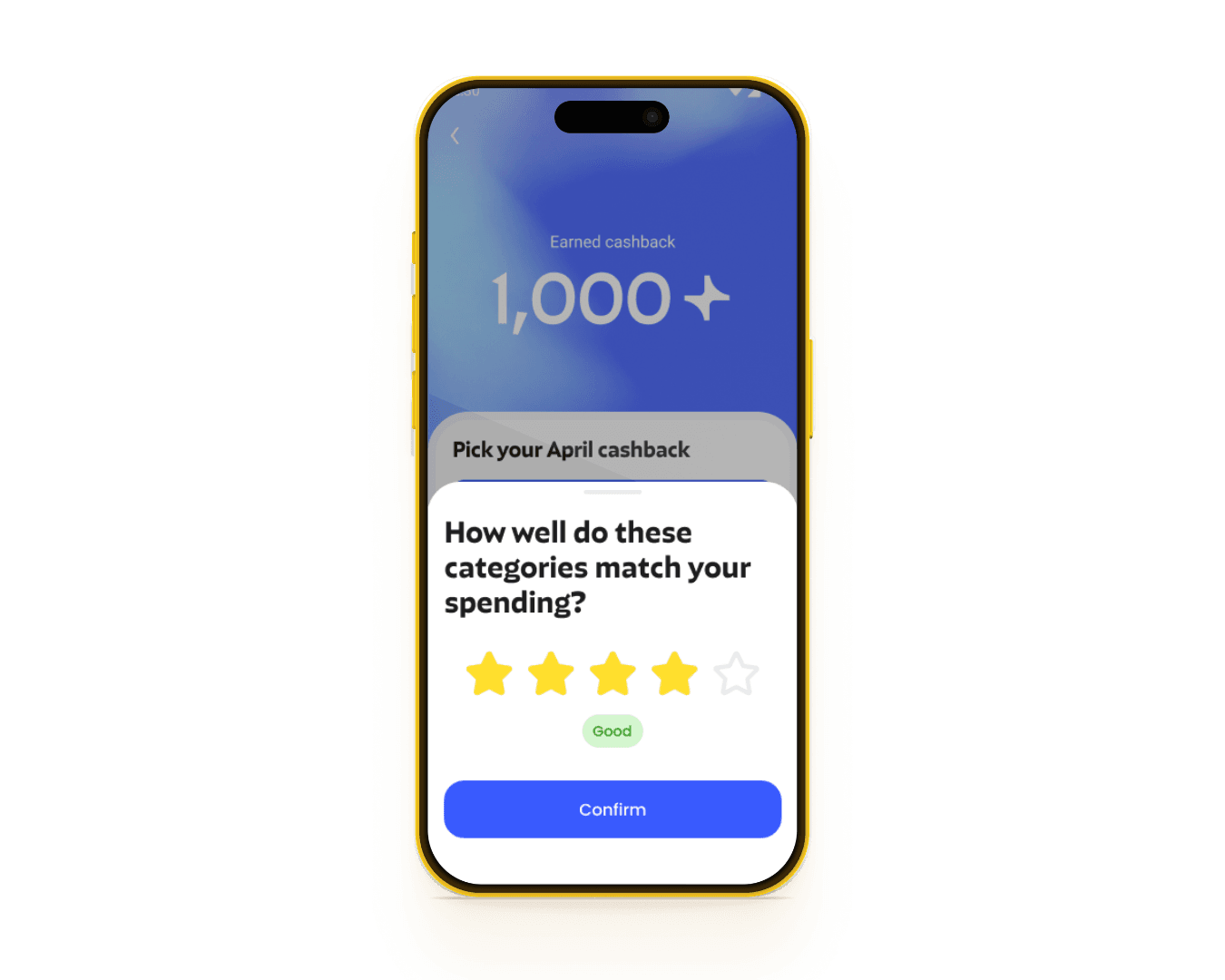
You can still let us know what you think! If you see a quick question in the app about how well your categories match your spending, share your feedback to help us make your cashback experience better.
Are there special or limited-time cashback offers?
Yes, you may occasionally see special cashback offers for selected merchants or purchases.
These offers can give you extra or higher cashback for a limited time. Check the Skyro Philippines app regularly so you don’t miss out on the latest offers, boss!
What if I didn't receive cashback for an eligible purchase?
Your cashback should be automatically added to your cashback balance as soon as you make a successful SkyroCredit purchase, based on your chosen categories for the month.
If you haven't received cashback for an eligible SkyroCredit purchase, try these steps first:
- Check your transaction under the History tab to make sure your payment was successful
- Make sure you have a stable internet connection
- Check your Cashback balance to see if your reward has been credited
- Make sure you're using the latest version of the Skyro Philippines app when making your purchase.
Still no cashback? Go to the History tab at the bottom of the home screen, select the specific transaction, and tap Report an issue to let us know.
You can also contact our Customer Care team through the Skyro app chat. It's the fastest way for us to help you.
No access to the Skyro app? Reach us here:
- Email: care@skyro.ph
- Facebook Messenger: Skyro Philippines
- Mobile: +63 919 1700 700
- Landline: +632 8540 3344