Help topics
Paying for My Skyro Loans
SkyroCredit
- What is SkyroCredit?
- How to use SkyroCredit
- Refer and Earn
- Cash out
- QR Ph payments with SkyroCredit
- Credit limit
- Payments
- Billing cycles and statements
- Interest rates and fees
- Cashback in SkyroCredit
- Using SkyroPondo for SkyroCredit
- SkyroCredit application status
- Payment issues with SkyroCredit
- Got questions about SkyroCredit, boss?
Product Loan
- What is a Skyro Product Loan?
- What items can I buy with a Skyro Product Loan?
- How do I apply for a Skyro Product Loan?
- Where can I use my Skyro Product Loan?
- Product Loan payments and fees
- Product Loan application status
- What is Skyro Flexi?
- What is the Skyro Zero Plan?
- Add-ons and Protection
- Got questions about Skyro Product Loan, boss?
How do I use SkyroCredit?
Getting started with SkyroCredit
Welcome to SkyroCredit, boss! This guide covers everything you need to get started, from applying for SkyroCredit to understanding its key features and using your available credit for everyday purchases.
1. What is SkyroCredit?
SkyroCredit is not a credit card, it's better. You get a credit limit you can use to pay anywhere QR Ph is accepted, in-store or online. It’s your everyday pay later solution for any purchase, whether big or small.
Use it for everyday expenses like fast food, groceries, bills, or when you're short before payday.
Enjoy 0% interest for up to 45 days, and get up to 30% cashback on eligible transactions!
2. Who is SkyroCredit for?
SkyroCredit is for anyone looking for flexible access to credit. Whether you're a university student, employed, self-employed, or running a small business, SkyroCredit can help you:
- Pay for groceries and household items
- Shop at convenience stores
- Pay for fast food and restaurant meals
- Pay for bills and everyday expenses
- Pay for gas
- Buy medicines and health essentials at drugstores
- Manage your budget between paydays
- Cover unexpected expenses
With SkyroCredit, you can shop now and pay later with 0% interest for up to 45 days. It's a convenient payment option that helps you manage everyday expenses, bridge gaps between income or allowance, and stay prepared for unexpected costs.
3. Who can apply for SkyroCredit?
To apply for SkyroCredit, you must:
- be Filipino citizen aged 18 to 70
- have 1 valid government-issued ID
- have a smartphone and an active Philippine mobile number
You can apply for SkyroCredit in 2 ways, boss!
via Website
- Visit www.skyro.ph/skyrocredit and tap ‘Apply now’
- Fill out the online form and wait for approval
- Download the Skyro app to continue
- Answer Skyro's verification call
- Sign the loan agreement with a one-time password (OTP)
- Your SkyroCredit is ready to use!
Pay anywhere QR Ph is accepted, in-store or online
via Partner stores
New Skyro customers can also get ₱1,000 SkyroCredit when they apply at partner stores like Home Along, Metro Retail, Prince Retail, LCC, Alson's Trading, and Willy & Sons.
- Visit any Home Along, Metro Retail, Prince Retail, LCC, Alson's Trading, or Willy & Sons partner store
- Apply for SkyroCredit with a Skyro agent
- Get ₱1,000 SkyroCredit once approved
👉 Learn more here: https://www.skyro.ph/newsroom/promo/apply-for-1000-credit
4. Key features of SkyroCredit
Here are the main features of SkyroCredit, boss:
Available 24/7
Use it anytime in the Skyro app
Up to ₱1,000 cashback monthly
₱1 cashback = ₱1 off future SkyroCredit purchases
₱0 down payment
Keep your cash. Pay later with SkyroCredit
0% interest up to 45 days
Pay your interest-free amount by your due date to enjoy 0% interest
Up to ₱100,000 credit limit
The more purchases you pay for using SkyroCredit, the better your chances of getting a credit limit increase. Just pay on time
No annual or service fees forever
Free to use anytime
Use how much you want
Your SkyroCredit is ready whenever you need it. Check your available credit anytime in the app. As you repay what you've used, your available credit is restored
Interest on spent amount only
Interest is charged only on the amount you use, not your full limit
For example, if you spend ₱1,000 from a ₱10,000 limit, interest is charged only on ₱1,000. No interest applies when you pay your full interest-free amount by the due date.
Flexible like cash
Scan any QR Ph code at over 1 million merchants nationwide to pay for groceries, fast food, medicine, and more
Build your credit score with Skyro
Use your SkyroCredit regularly and pay on time to build a strong credit history and improve your chances of getting future Skyro loan offers
5. What should I prepare before applying?
You just need a smartphone, an active phone number, and 1 valid ID from this list:
- Philippine passport
- Driver’s license
- UMID (Unified Multi-Purpose ID)
- SSS ID (Social Security System ID)
- Philippine ID
- PhilSys ID
- Digital National ID
- ePhilID
- PRC ID (Professional Regulation Commission ID)
- Postal ID
- GSIS ID (Government Service Insurance System ID)
6. Your first SkyroCredit application
Here's what to expect when you apply for SkyroCredit online:
- Visit skyro.ph/skyrocredit and tap ‘Apply Now’
- Complete the online form
- Download the Skyro app to continue
- Answer Skyro's verification call Sign the agreement using a one-time password (OTP)
- Your SkyroCredit is ready to use in the app!
- See your available credit limit
Use it to pay via QR Ph, in-store or online
💡 Tip: Make sure to pay on time and use your SkyroCredit regularly to get a higher credit limit of up to ₱100,000, boss! We regularly review accounts for possible credit limit increases and will automatically raise your limit when you qualify. You'll be notified right away in the Skyro app.
Your questions, answered
Got some questions about the application process? Here's what you need to know, boss:
1. How long does it take to apply?
You can complete the online application form in about 2 minutes. After you submit your application, we'll contact you and your references within 24 hours to verify your information. Once verification is complete, the average approval time is 40 seconds.
2. Where can I check my application status?
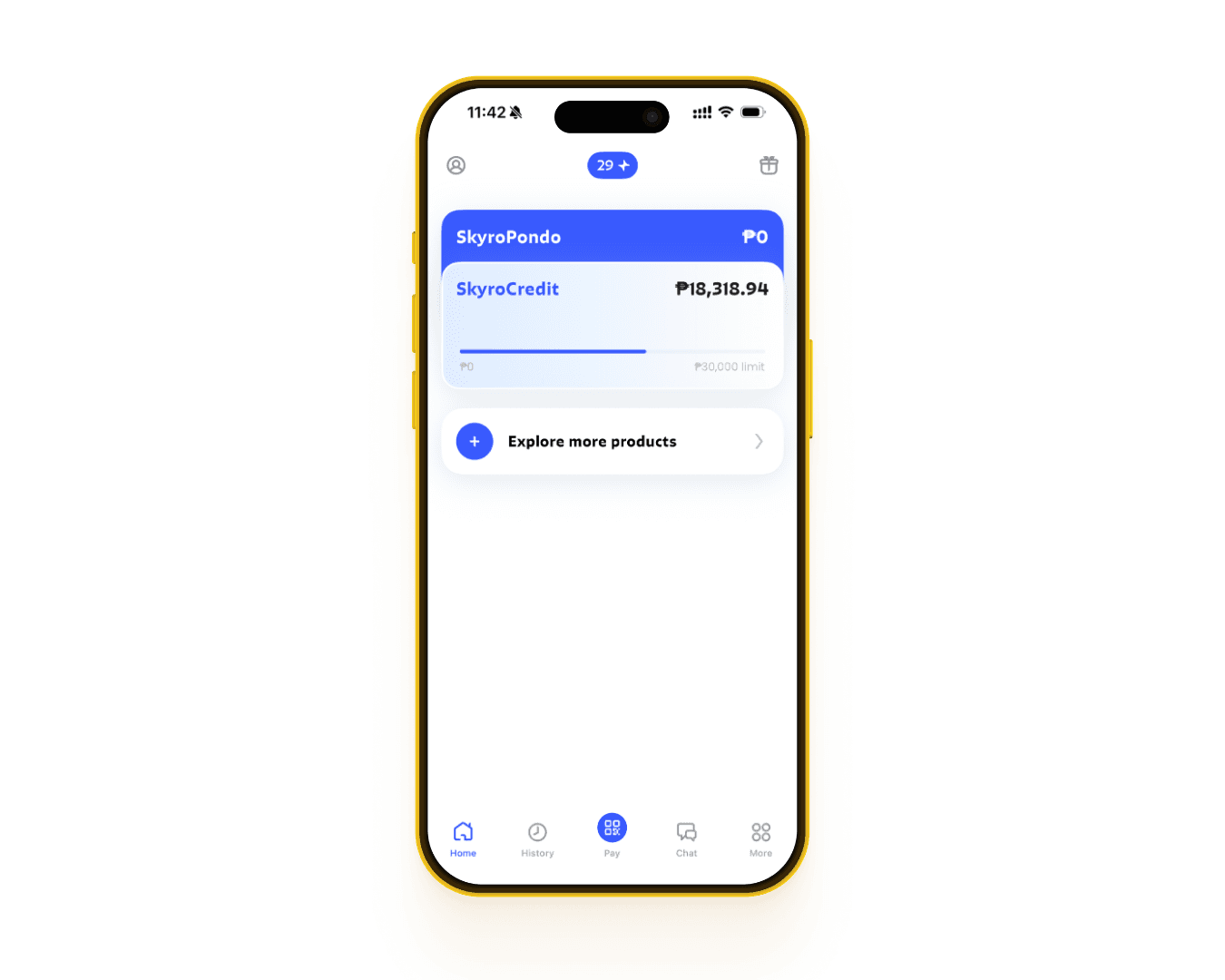
You can always check your application status in the Skyro app. The home screen shows updates such as ready to continue, under review, waiting for a confirmation call, or not approved.
Once approved, your home screen will show your available SkyroCredit limit.
3. How can I contact Support?
If you're having issues with your application, first try these quick steps:
- Check that you have a stable internet connection
- Make sure the information you entered is correct and complete
- Refresh the Skyro app and continue your application
- If the issue continues, reinstall the app
- Update to the latest version of the Skyro Philippines app from the App Store or Google Play
Still need help? Contact our Customer Care team in the Skyro app chat. It's the fastest way for us to help you.
No access to the Skyro app? Reach us here:
- care@skyro.ph
- Facebook Messenger
- +63 919 1700 700
- +632 8540 3344
4. Is my personal information safe?
Skyro takes data privacy seriously. All information is protected under the Philippine Data Privacy Act. Only the details needed for the service are collected, and strict security checks are done before any new feature is launched. Skyro never accesses private messages or contacts, and cannot access photos, call logs, or SMS. Your trust means everything to us.
For more details, you may look at our Privacy Policy.
Helpful resources
Looking for more information? Check out these related articles:
- How to use the Skyro app
- Accepted government-issued IDs
- How to check your application status
- QR Ph payments with SkyroCredit
- Understanding your credit limit
- Managing your personal information
- Your privacy and personal data
- Contacting Customer Care
Didn’t find what you need, boss? Visit our Help Center