Help topics
Paying for My Skyro Loans
Product Loan
- What is a Skyro Product Loan?
- How do I apply for a Skyro Product Loan?
- Where can I use my Skyro Product Loan?
- Product Loan payments and fees
- Product Loan application status
- What is Skyro Flexi?
- What is the Skyro Zero Plan?
- Add-ons and Protection
- Got questions about Skyro Product Loan, boss?
- What items can I buy with a Skyro Product Loan?
SkyroCredit
- What is SkyroCredit?
- How to use SkyroCredit
- Refer and Earn
- Cash out
- QR Ph payments with SkyroCredit
- Credit limit
- Payments
- Billing cycles and statements
- Interest rates and fees
- Cashback in SkyroCredit
- Using SkyroPondo for SkyroCredit
- SkyroCredit application status
- Payment issues with SkyroCredit
- Got questions about SkyroCredit, boss?
How do I use the Skyro app?
How to log in
To log in to your Skyro account, follow these steps:
- Open the app and enter your registered mobile number in Skyro
- Enter the 6-digit code sent via SMS
- Complete the selfie verification process
Didn't receive OTP
If you’re not receiving an OTP for log in, try the following:
- Make sure the number is entered correctly
- Check your phone signal
- Check that your SMS inbox is not full
- Check your SMS spam folder
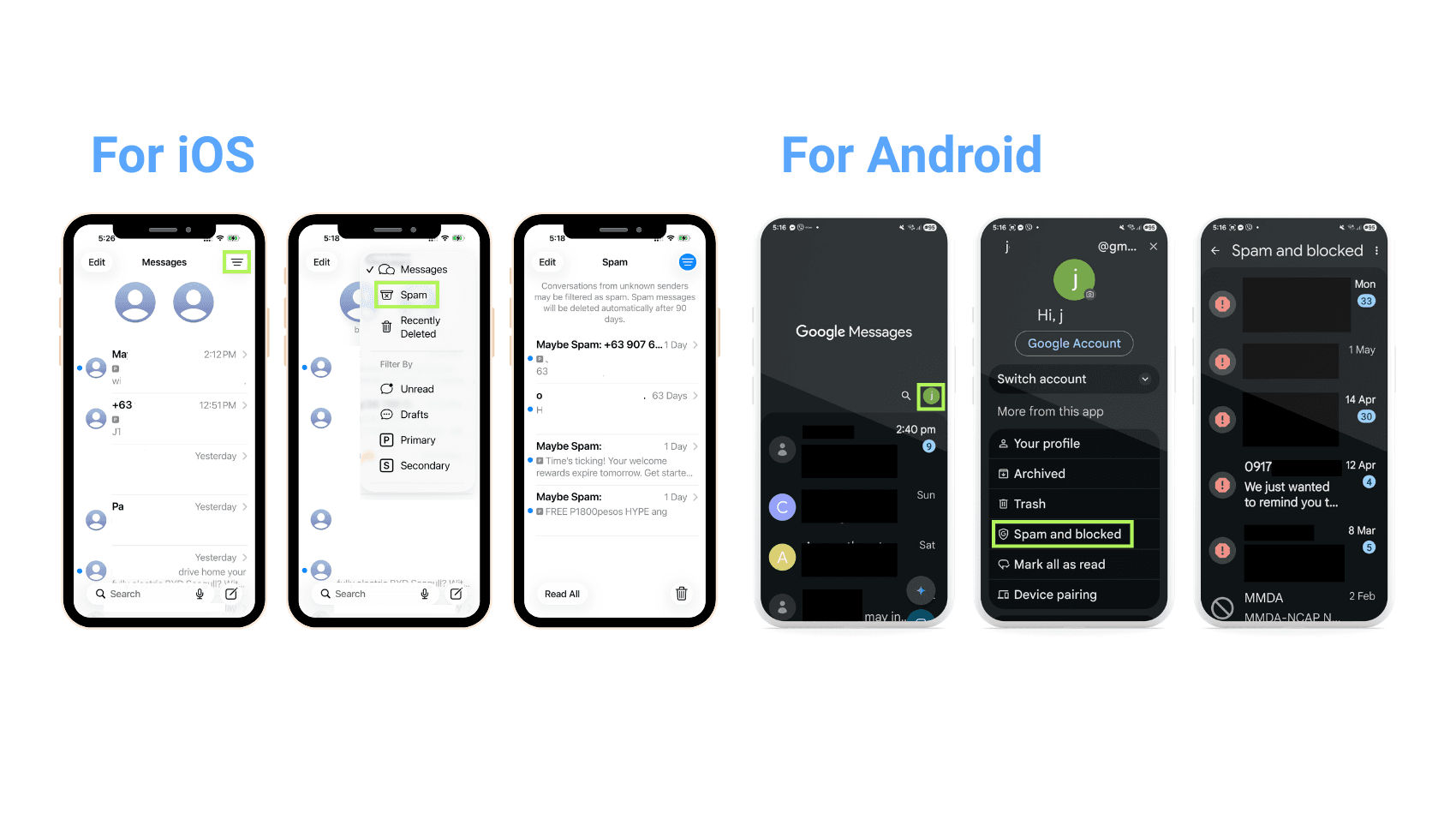
For iOS
1. Open your Messages app
2. Tap the menu icon on the top right and choose Spam
3. Check if Skyro's OTP message is there
For Android
1. Open your Google Messages app
2. Tap your profile icon on the top right and choose Spam and blocked
3. Check if Skyro's OTP message is there
- Restart your phone
- Contact your mobile network provider if needed
If the issue continues, you may change your number. Remember: the new number must belong to you, boss.
👉 Learn how to change your phone number here
Having issues with face scan
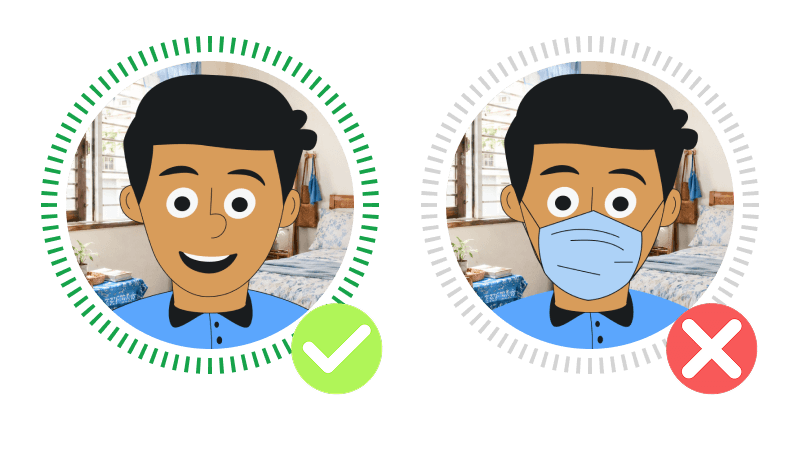
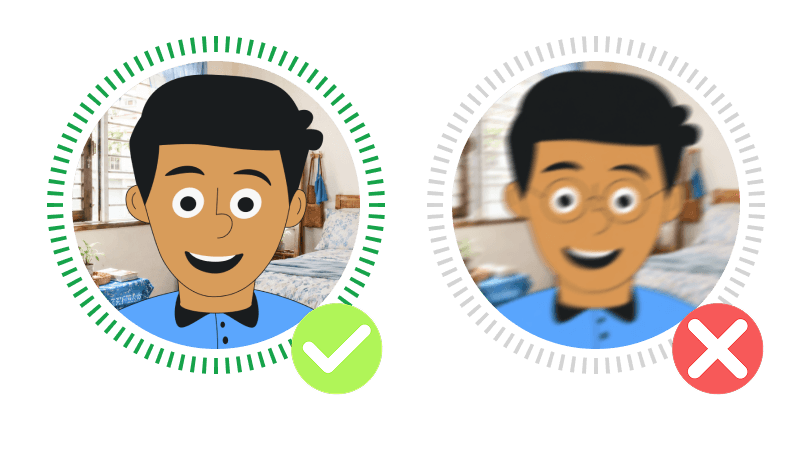
Boss, if there is an error during selfie verification and you can't log in to your Skyro app:
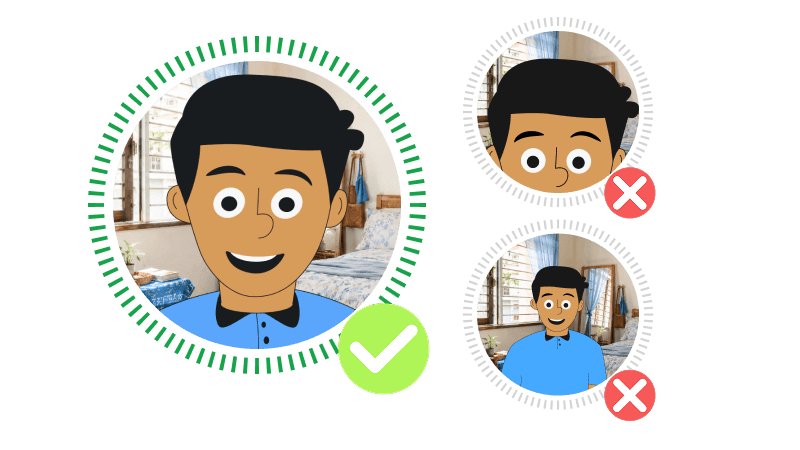
- Put your face inside the frame
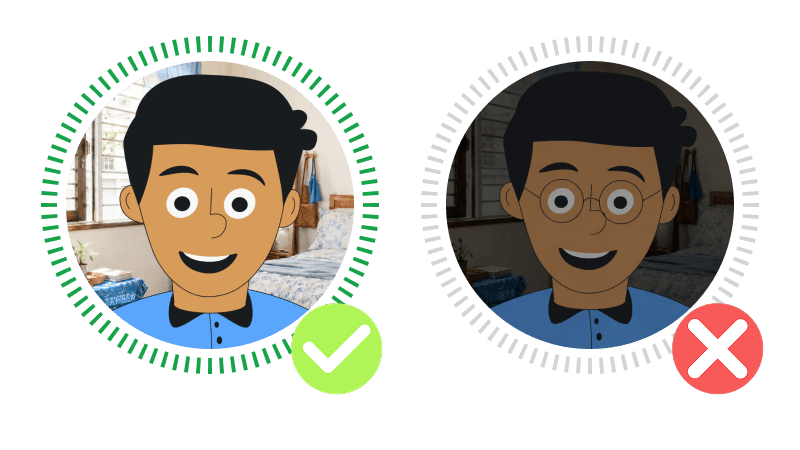
- Use good lighting
- Remove glasses or anything blocking your face
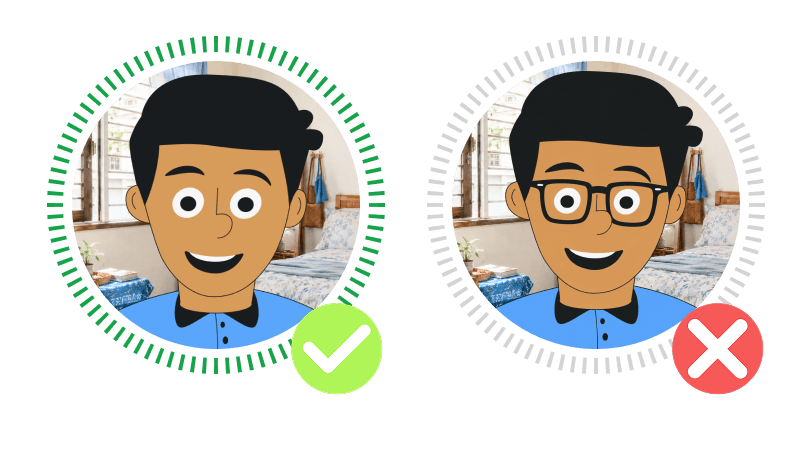
- Make sure your face is clearly visible
- Hold your phone steady
If the issue continues, call +63 919 170 0700 for help.
Why can’t I find the Skyro app in the App Store or Play Store?
Having trouble finding the Skyro app in your app store, boss? This may be because of your App Store or Play Store settings. Please follow the steps below to fix it.
For iOS (Apple App Store):
- Open the Settings app on your iPhone or iPad.
- Tap your name at the top to access your Apple ID settings.
- Select Media & Purchases, then tap View Account.
- Sign in if prompted.
- Tap Country/Region.
- Tap Change Country or Region.
- Choose the Philippines from the list.
- Review and agree to the Terms and Conditions.
- Enter a valid payment method and billing address for the Philippines.
- Tap Next to save changes.
For Android (Google Play Store):
- Open the Google Play Store app.
- Tap your profile icon in the top right corner.
- Select Settings, then go to General > Account and device preferences.
- Find the Country and profiles section.
- If your country isn’t set to the Philippines, you will see an option to switch to the Philippines. Tap it.
- Follow the prompts to add a payment method for the Philippines.
- After completing setup, your Play Store will switch to the Philippines country profile.
Note: You can only switch your Google Play Store country once every 12 months. If you’ve just changed it, you’ll have to wait a whole year before you can update it again.
Heads up: You might need to update your payment method and billing address to one based in the Philippines.
Make sure your account balance is zero and any subscriptions are cancelled or expired before switching regions.
Save changes and restart your device or app if necessary.
Changing your region makes sure you get the right prices, offers, and content specific to the Philippines.
Need more help, boss?
Please contact Customer Care in the Skyro app chat, boss. It's the fastest way for us to help you.
No access to the Skyro app? Reach us here:
• +63 919 1700 700
• +632 8540 3344