Help topics
Paying for My Skyro Loans
Product Loan
- What is a Skyro Product Loan?
- How do I apply for a Skyro Product Loan?
- Where can I use my Skyro Product Loan?
- Product Loan payments and fees
- Product Loan application status
- What is Skyro Flexi?
- What is the Skyro Zero Plan?
- Add-ons and Protection
- Got questions about Skyro Product Loan, boss?
- What items can I buy with a Skyro Product Loan?
SkyroCredit
- What is SkyroCredit?
- How to use SkyroCredit
- Refer and Earn
- Cash out
- QR Ph payments with SkyroCredit
- Credit limit
- Payments
- Billing cycles and statements
- Interest rates and fees
- Cashback in SkyroCredit
- Using SkyroPondo for SkyroCredit
- SkyroCredit application status
- Payment issues with SkyroCredit
- Got questions about SkyroCredit, boss?
QR Ph payments with SkyroCredit
About QR Ph
QR Ph is the national QR code standard from the Bangko Sentral ng Pilipinas (BSP). It lets you pay merchants or receive money using one QR code.
It supports:
- P2M – Person to merchant payments
- P2P – Person to person transfers
👉 Learn more about how QR Ph works here
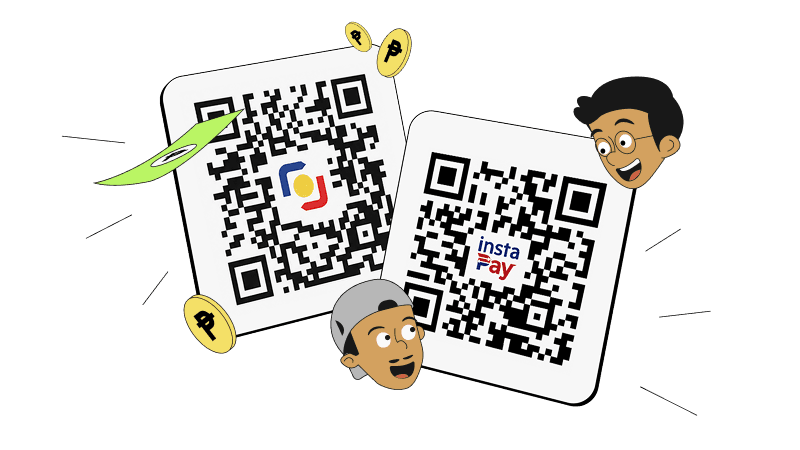
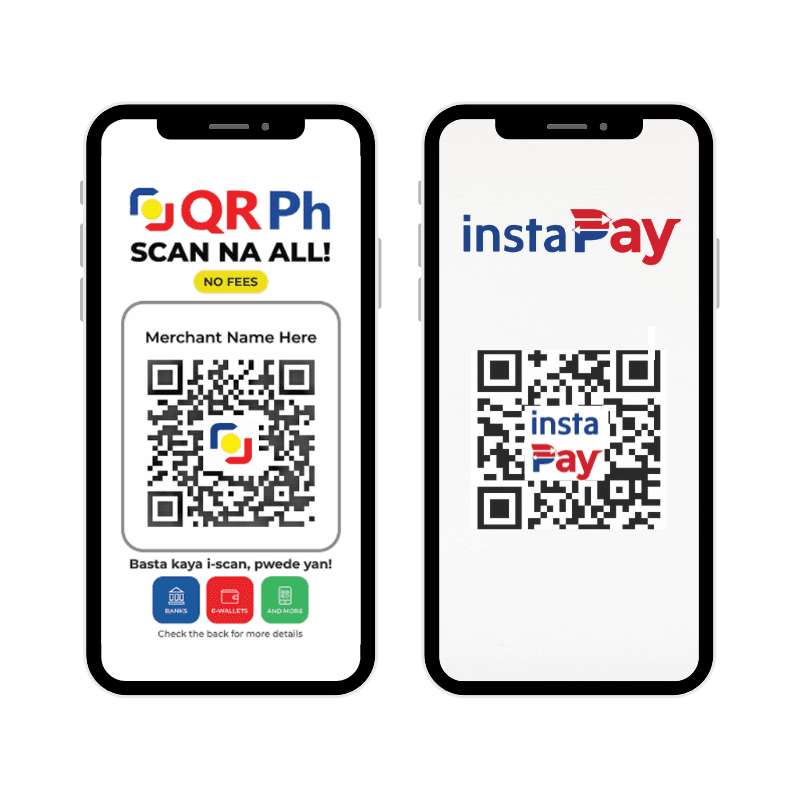
QR Ph vs InstaPay QR
Just remember, boss: QR Ph is commonly used for merchant payments, while InstaPay QR is mainly used for person-to-person (P2P) transfers. Here’s how the QR codes look side by side.
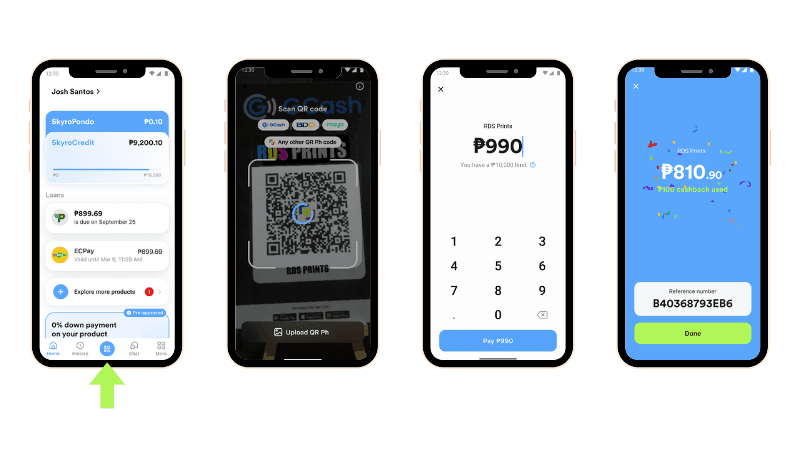
Pay using QR Ph in the Skyro app
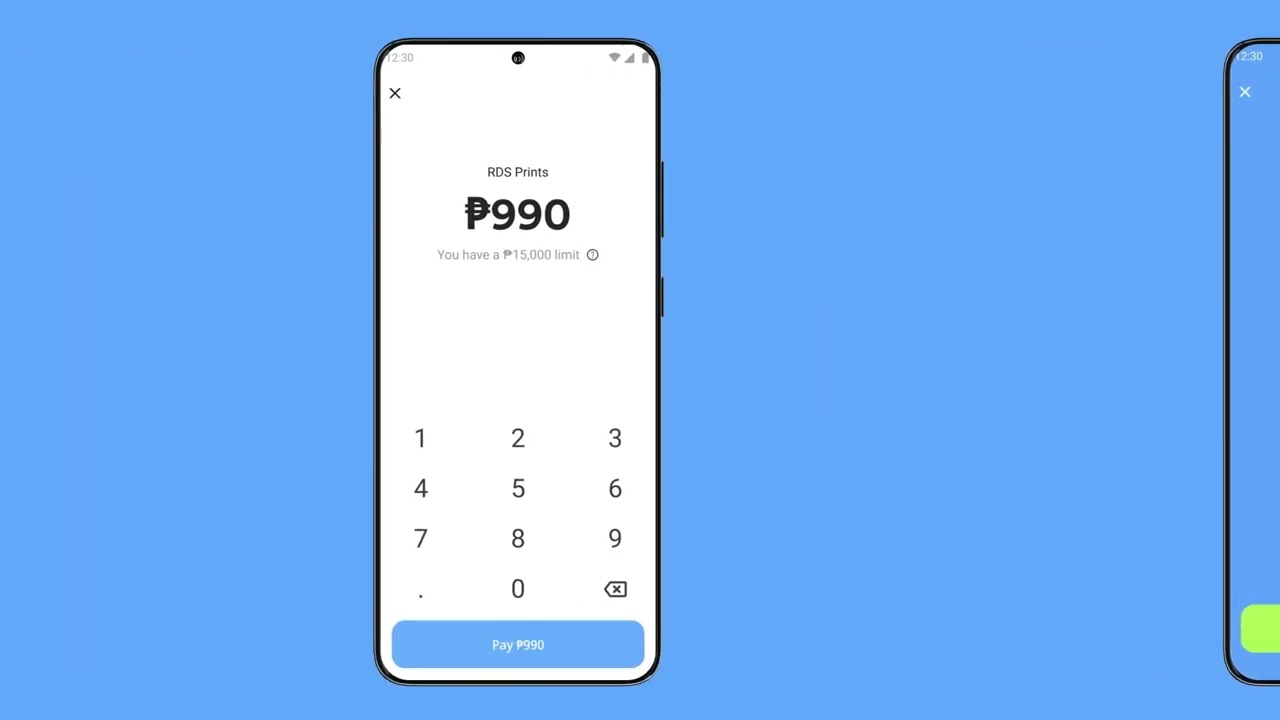
Use SkyroCredit to scan and pay for any QR Ph purchase, boss! See the QR Ph standee at the cashier? That’s your sign to scan and pay with SkyroCredit!
Follow these steps:
1. Tap the QR icon at the bottom center of your Skyro app
2. Scan the store’s QR Ph code and check the amount shown
3. Confirm the payment!
What stores accept QR Ph?
You can use SkyroCredit at pharmacies, grocery stores, coffee shops, restaurants, and more, as long as there’s a QR Ph code.
Just look for the QR Ph code at the cashier, boss! It may be on a standee, sticker, or screen.
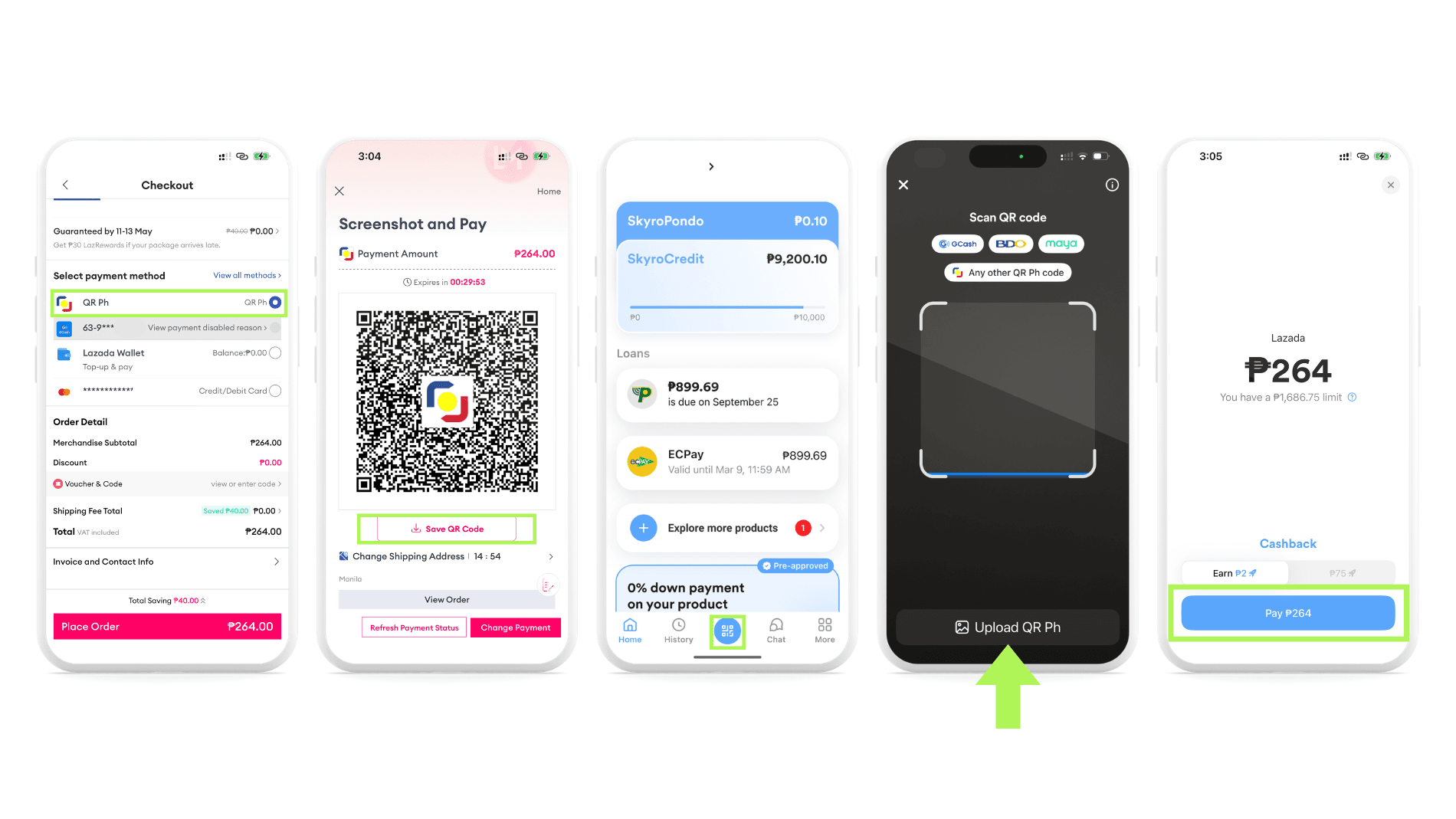
Paying online with QR Ph
You can use SkyroCredit to pay for online purchases anywhere QR Ph is accepted.
Follow these steps, boss:
- At the checkout page, tap the QR Ph payment option
- Save the QR code or take a screenshot
- Open the Skyro app and tap the QR icon on the home screen
- Upload the saved QR Ph image
- Confirm payment!
How long does QR Ph payment processing take?
After you confirm the payment, the merchant’s app, terminal, or payment system will usually receive a “Payment Received” alert after a few seconds, boss!
If it's taking longer than usual or you experience any issues, check out our QR Ph troubleshooting guide.
Can I cancel a transaction?
Transactions can’t be cancelled once they go through, boss. Once you scan the QR Ph code and the payment is successful, the amount is automatically deducted from your SkyroCredit limit.