Help topics
Paying for My Skyro Loans
Product Loan
- What is a Skyro Product Loan?
- How do I apply for a Skyro Product Loan?
- Where can I use my Skyro Product Loan?
- Product Loan payments and fees
- Product Loan application status
- What is Skyro Flexi?
- What is the Skyro Zero Plan?
- Add-ons and Protection
- Got questions about Skyro Product Loan, boss?
- What items can I buy with a Skyro Product Loan?
SkyroCredit
- What is SkyroCredit?
- How to use SkyroCredit
- Refer and Earn
- Cash out
- QR Ph payments with SkyroCredit
- Credit limit
- Payments
- Billing cycles and statements
- Interest rates and fees
- Cashback in SkyroCredit
- Using SkyroPondo for SkyroCredit
- SkyroCredit application status
- Payment issues with SkyroCredit
- Got questions about SkyroCredit, boss?
Payments
What are my payment options?
With SkyroCredit, you only pay for what you’ve spent. There are 2 payment options for your SkyroCredit:
1. Minimum payment
Pay a smaller amount with interest until fully paid.
- This is the minimum amount required to avoid late payment fees
- This amount is shown in your SkyroCredit screen. It is usually 10% of your credit limit
- If your balance is lower than this, you only need to pay your full balance
👉 Important: If you choose to pay only the minimum, a 7% interest will apply to the outstanding balance until it is paid off.
2. Interest-free payment
This is how much you've spent by the end of each month, up to your billing date.
- No interest will be charged if you pay the full interest-free amount
- Check your exact interest-free amount on your bill in the Skyro app. No need to compute anything, boss!
👉 Important: Pay on or before your due date to enjoy 0% interest
Minimum payment option
“Minimum payment” keeps your account active with a smaller amount, but interest will apply to what you spent until it's fully paid. This is the the required amount you must pay to avoid late fees, boss.
How it works
- It’s 10% of your credit limit
- If you choose to pay only the minimum, a 7% interest will apply to the outstanding balance until it is paid off
- Paying this smaller amount helps you avoid late payment fees and maintain a good credit history
- But, interest will continue to apply to the unpaid amount until the outstanding balance is paid off.
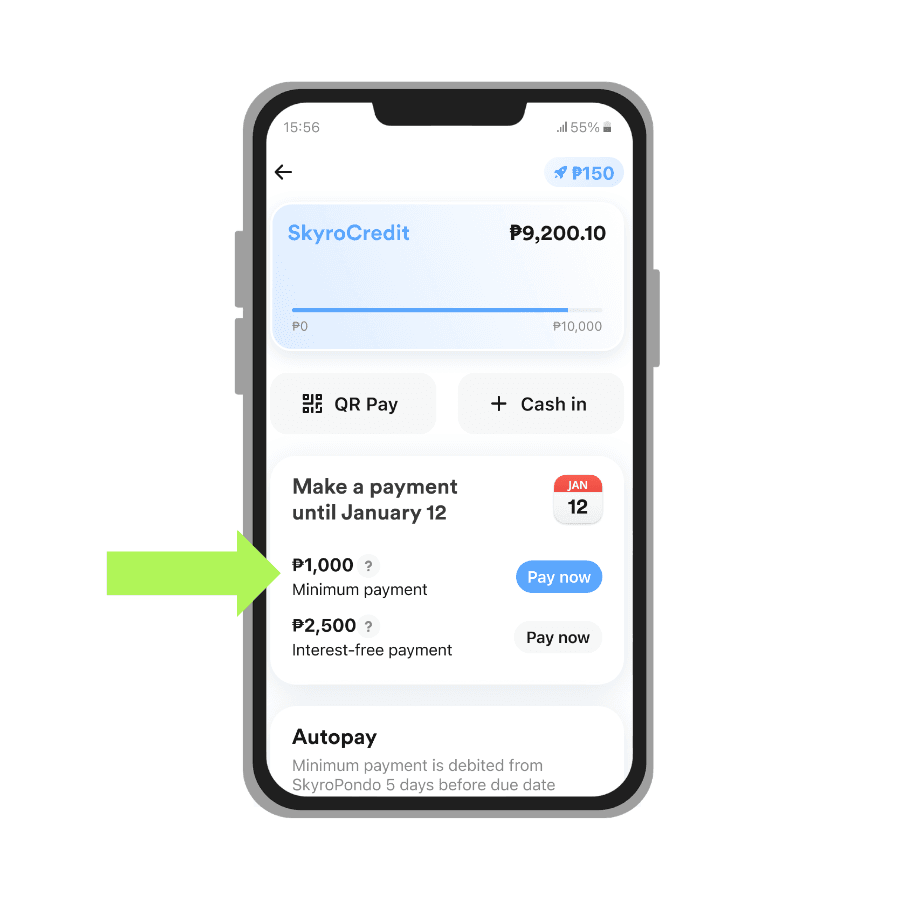
Example
Credit limit: ₱10,000
Actual balance by billing date: ₱2,500
Due date: January 12
👉 Minimum payment: ₱1,000
Some reminders, boss
- The minimum payment (MP) is never more than your outstanding balance, even if it's lower than 10% of your credit limit
- So if your balance on the cutoff date is ₱150, the MP is ₱150
- It’s enough to keep your payments on schedule, but it won’t help you pay off your balance quickly
- It does not work like an installment plan (unlike Product Loans or Cash Loans)
If you can’t pay your interest-free amount by the due date, we highly recommend you to:
1. Pay a higher amount than the minimum payment.
This helps reduce your repay your balance faster and saves you money on interest.
2. Pay just after the cutoff date, not on due date.
This will reduce your balance ~2 weeks sooner and during that week the interest will be less because of that.
Note: If you only pay the minimum amount, a 7% interest will apply to the outstanding balance until it is paid off.
Autopay for minimum payment using SkyroPondo
You can use SkyroPondo to automatically pay your SkyroCredit minimum payment every month, boss. Just make sure you have enough balance in your account.
5 days before your due date, we’ll automatically use your SkyroPondo balance to cover your minimum payment due.
The autopay amount is not fixed. It depends on the amount shown on your SkyroCredit block on the home screen.
Note: Autopay for SkyroCredit does not apply to interest-free payments.
Interest-free payment option
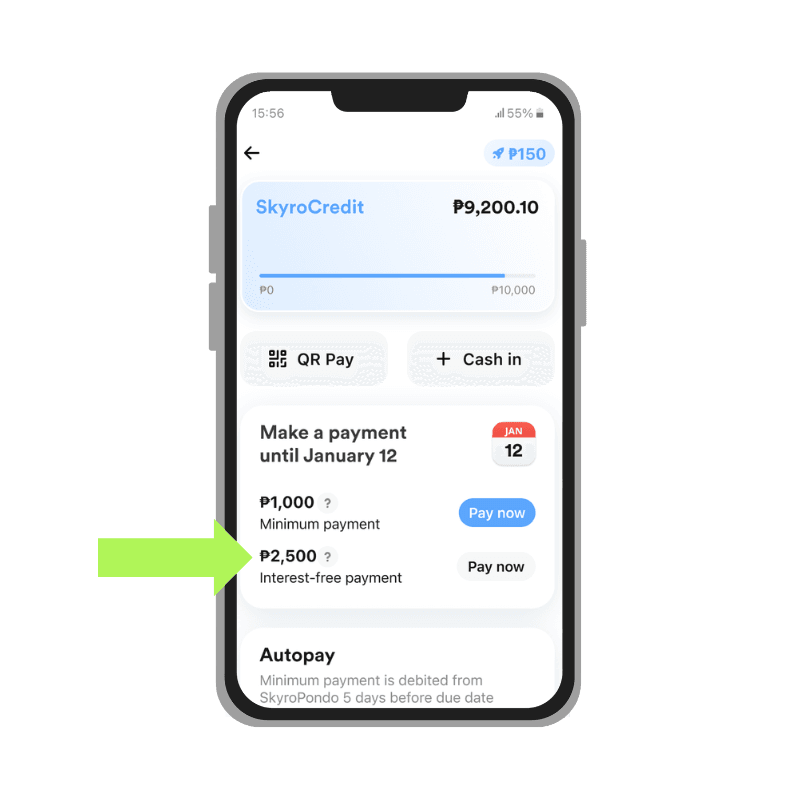
To get 0% interest every month, just pay the "interest-free payment" amount shown in your Skyro app.
This is how much you've used from your limit by the end of each month, up to your billing date.
No need to compute anything, boss! Just wait for your bill in the Skyro app to see your exact interest-free payment amount.
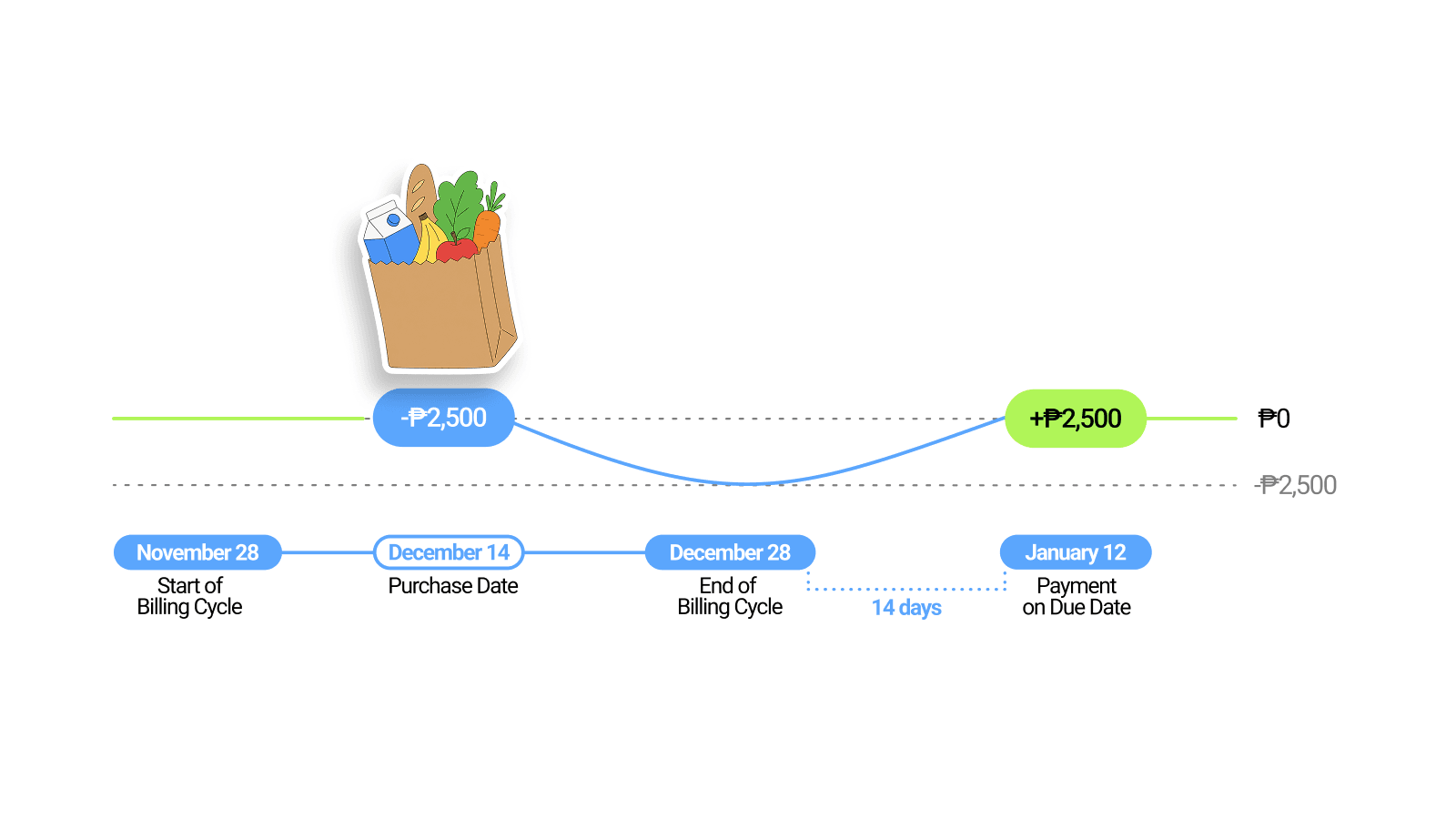
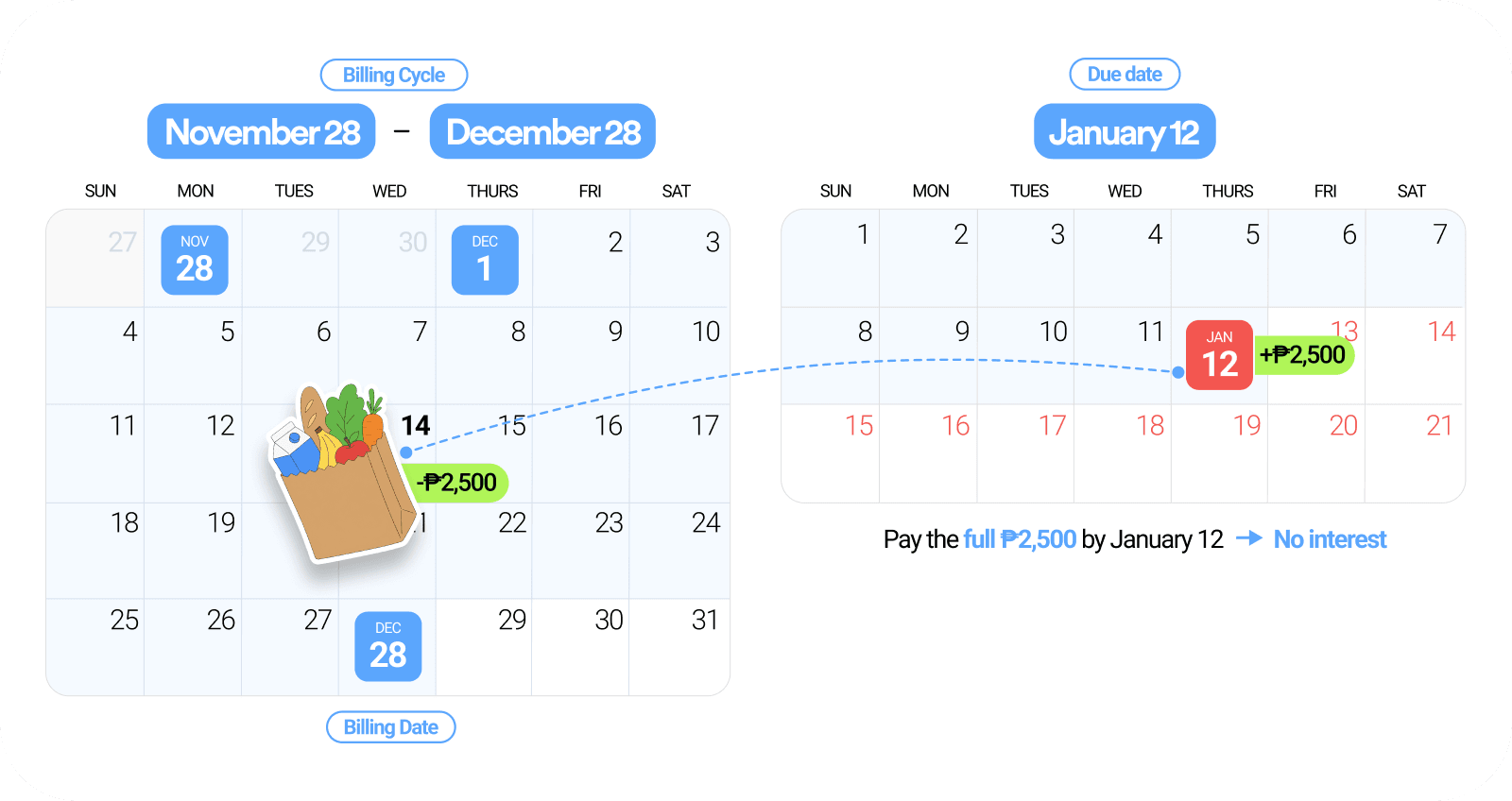
For example:
Credit limit: ₱10,000
Billing cycle: November 28 – December 28
Billing date: December 28
You spent ₱2,500 during this billing cycle.
The example below is shown in two formats: a timeline view and a calendar view
Your monthly bill shows:
- Interest-free payment: ₱2,500
- Minimum payment: ₱1,000
- Due date: January 12
To use SkyroCredit with 0% interest, make sure to pay the full interest-free payment of ₱2,500 anytime from December 29 to January 12.